Shape Garden
A simple tool for building marks through structure, play, and experimentation
Shape Garden started from a pretty straightforward idea. A lot of designers already think through grids, geometry, and repetition when exploring visual marks, so instead of keeping that process loose or buried in sketches, we wanted to turn it into something usable.
This is not meant to be some overly precious or overly polished thing. It is a working tool. There may be bugs, and it is still evolving, but that is part of the point. A lot of worthwhile tools get better by being used, not by sitting untouched until they feel perfect.
For creatives especially, that matters. Good ideas can sit around too long. Shape Garden is really about getting them out into the open, testing them, and seeing what happens when a process becomes interactive.
Why we made it
Shape Garden was made to support a more structured kind of creative exploration.
A lot of abstract marks and symbols become more interesting when they are built from something principled underneath. Even when the end result is unusual or a little weird, there is often still a sense of order holding it together. That tension is useful. It gives you room to experiment without the work feeling random.
At the very least, Shape Garden is a helpful mental exercise for designers. It gives you a place to explore forms, spot patterns, and discover shapes you may not have planned. At its best, it can lead to marks that are actually worth developing further for a client or a real brand system.
Starting with presets
The easiest place to begin is with the presets.
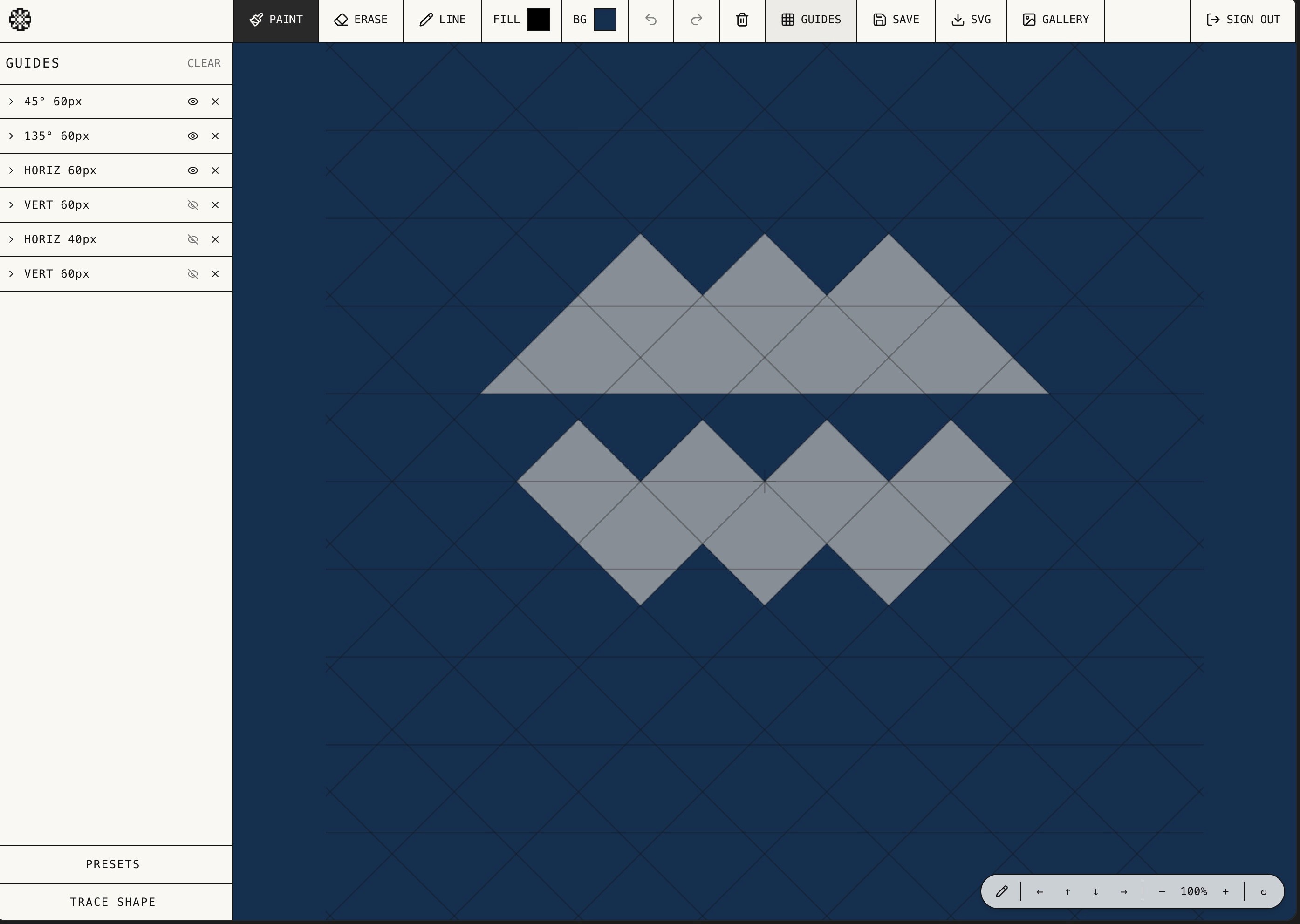
Presets give you a basic grid map and make sure your guides are in place, so you can jump in without needing to build a structure from scratch. From there, the controls let you adjust how the system behaves and how your shapes are formed.
One of the most useful controls is weight. Weight affects the spacing within the system, so if you want your shape construction to feel tighter or have a bit more breathing room, you can adjust that pretty quickly. Even a small change can shift the feel of what you are making.
As you add more grids, they overlap with one another while still staying aligned. That is a big part of what makes the tool useful. You can build complexity without losing the sense of order underneath it.
Painting and finding shapes
The core interaction is simple. You click, hold, and paint directly onto the grid. You can also drag as you go, which makes it easy to build shapes quickly.
That speed is important, because this kind of tool works best when it feels open and easy to play with. Sometimes you are building something intentionally. Other times you are just moving through forms and suddenly noticing that something is starting to happen. A shape might suggest a symbol, an object, or a direction you would not have landed on by thinking too hard upfront.
That is one of the more interesting parts of Shape Garden. It gives you a way to discover ideas through motion. You are not always forcing the result. Sometimes you are just setting up the right conditions for something to reveal itself.
And if something does not work, you can undo and keep going.
Going beyond the default grid
While grids are the foundation, the tool is not locked into them.
You can also bring in your own lines if you want to make something that feels a little less rigid or a little less obviously grid-based. That opens things up without losing the benefit of the system.
You can also adjust fill color and background color as you work, which makes it easier to test how a mark behaves visually instead of only thinking about pure form.
Another helpful feature is trace-based shape recognition. If you bring in a trace shape, Shape Garden can identify that form and generate additional grid lines around it. That is especially useful when the preset guides do not quite give you the angles or structure you need. Instead of forcing the idea to fit the existing system, the system starts to adapt to the idea.
Saving and organizing ideas
Once you find something you want to keep, you can save it, title it, and place it into a folder or tag it to a company.
That part matters more than it may seem. Not every good shape is for the current project. Sometimes an interesting mark is just something worth holding onto. Shape Garden gives you a place to build that library over time instead of losing directions along the way.
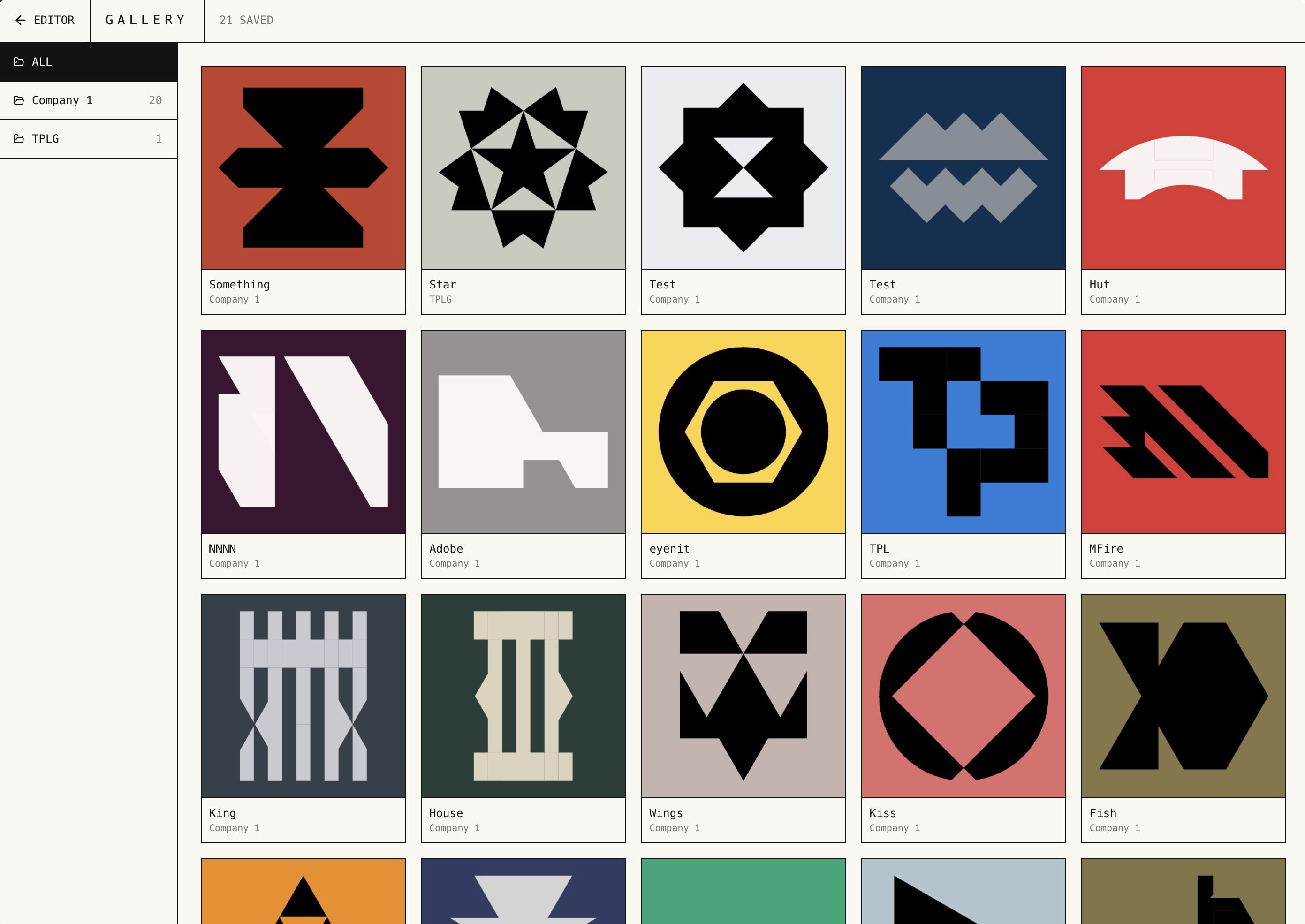
There is also a gallery where saved work lives, and every piece in it has been made inside the tool.
Exporting for real use
When something is ready to move beyond exploration, you can export it as an SVG.
That makes Shape Garden more than just a sketch tool. It lets the work move into an actual design workflow, whether that means refining a mark, presenting a concept, or developing it into a final identity.
There are also simple navigation controls for zooming in, zooming out, and moving around the grid, which helps when you want to work more closely or step back and see the larger composition.
What Shape Garden is really for
Shape Garden sits somewhere between a creative exercise and a practical design tool.
It is useful if you are a designer looking for a new way to explore form, and it is equally useful if you are just someone creative who wants a more structured way to play. Sometimes the output is just an interesting experiment. Sometimes it becomes something worth keeping. Sometimes it turns into a real logo.
More than anything, Shape Garden is a good example of what can happen when you take an internal creative habit and turn it into a tool. Instead of waiting for a perfect process, you build something that helps you think, make, and discover in real time.